

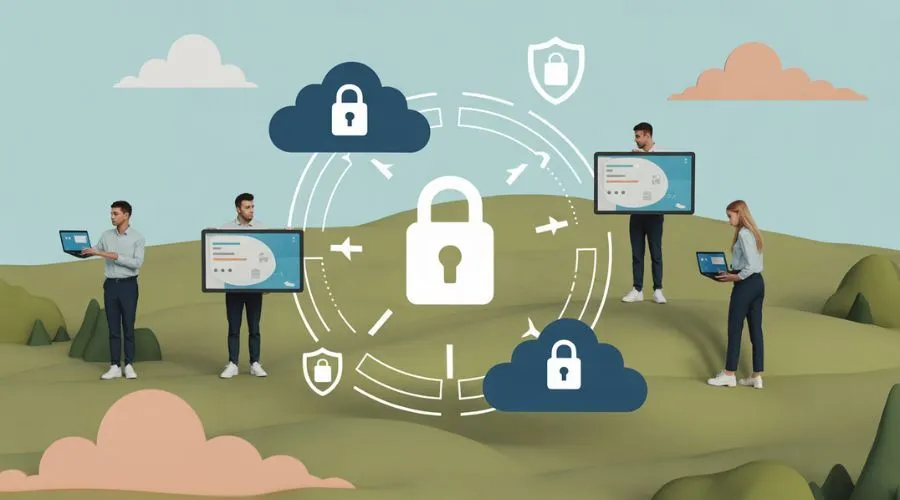
Discover how modern cloud protection keeps remote employees safe, secures sensitive data, and supports flexible work environments.
The Shift to Remote Work and Security Challenges
Remote work has become a standard for many organizations around the world. This shift brings flexibility and productivity but also raises new security concerns. Employees often access company systems from various locations and devices. This increases the risk of data breaches and cyberattacks. Protecting sensitive information in this environment requires updated security strategies and tools.
Companies now face the challenge of managing a distributed workforce and securing data that travels across networks and devices outside their traditional corporate perimeter. As home offices and remote setups become the norm, IT teams must rethink their approach to security to address the new attack surface and the ever-evolving tactics used by cybercriminals.
Why Cloud Protection Matters for Remote Teams
Cloud-based solutions offer a powerful way to secure remote workforces. These tools help companies manage access, monitor threats, and protect data across different locations. Learn more about Cloud security benefits for safer remote work. Cloud protection allows for real-time updates and fast threat detection, making it easier to keep remote employees safe. By centralizing security controls in the cloud, organizations can quickly respond to incidents and reduce the risk of human error.
Additionally, cloud security platforms can scale as businesses grow or adapt to changing remote work needs, ensuring that protection is always up to date. Third-party audits and compliance certifications also give organizations confidence in the reliability of cloud-based security. According to the U.S. Department of Homeland Security, cloud adoption can streamline security management for distributed teams.
Key Features of Modern Cloud Security
Modern cloud security includes features like identity management, endpoint protection, and encryption. These tools control who can access company data and how they use it. For example, multi-factor authentication ensures only authorized users log into systems. Encryption protects sensitive information as it moves between devices and servers. According to the U.S. Cybersecurity & Infrastructure Security Agency, such layered defenses are vital for remote work. Automated threat detection and response capabilities help IT teams act quickly against suspicious activity.
Cloud-based dashboards give security teams visibility into user behavior and system health, even when employees are working from different time zones or regions. Integration with other business tools, such as collaboration platforms and email, helps ensure that security is consistent across all applications. These features not only reduce risk but also make it easier for security teams to monitor and manage remote environments.
Securing Data Across Devices and Networks
Remote employees often use personal devices and public Wi-Fi, which can expose company data to risks. Cloud security tools help secure data even outside the office. Virtual Private Networks (VPNs) and secure cloud storage solutions add extra layers of protection. The National Institute of Standards and Technology recommends regular updates and patches to keep all devices secure.
Mobile device management (MDM) systems allow organizations to enforce security policies, remotely wipe lost devices, and ensure that only approved apps are installed. Endpoint detection and response (EDR) tools monitor devices for unusual behavior and can quarantine compromised endpoints before they affect the wider network. Secure file-sharing solutions and encrypted communication channels help prevent sensitive data from being intercepted or leaked. By combining these approaches, organizations can protect data even when employees are working from coffee shops, airports, or other unsecured locations.
The Role of Zero Trust in Remote Security
Zero Trust is a security model that assumes no user or device is safe by default. Every access request is verified, no matter where it comes from. This approach is crucial for remote work because employees connect from many locations. Zero Trust helps reduce the chance of unauthorized access. More organizations are adopting this model as remote work continues to grow, as reported by industry experts.
In a Zero Trust environment, security policies are based on identity, device health, and context, rather than network location. Access to resources is granted only after continuous verification, and permissions are limited to the minimum needed for each user’s role. Micro-segmentation dividing networks into smaller, isolated zones further limits the spread of threats. This approach also makes it easier to detect and contain suspicious activity quickly. As cloud adoption rises, Zero Trust principles are being integrated into cloud security platforms, offering better protection for distributed teams.
Training and Awareness for Remote Employees
Technical measures are important, but employee awareness is also key. Regular training helps remote workers recognize phishing attempts, use strong passwords, and follow security protocols. Companies should provide clear guidelines and support so employees know how to act in case of a security incident. Ongoing education builds a culture of security and reduces risks. Many organizations use simulated phishing attacks to test employee awareness and reinforce safe behaviors.
Security awareness programs should be updated regularly to address new threats and include practical tips for daily work. The Federal Trade Commission provides resources to help organizations educate their staff on the importance of cybersecurity. Open communication channels allow employees to report suspicious activity without fear of blame, fostering a proactive approach to security.
Responding to Security Incidents Remotely
When a security incident happens, a quick response is vital. Cloud-based security tools can detect and contain threats in real time. Remote IT teams need clear procedures to investigate and fix issues without delay. Regularly testing response plans ensures employees know what to do if something goes wrong. This keeps business operations running smoothly. Incident response plans should outline the steps for identifying, containing, eradicating, and recovering from attacks.
Automated alerts and workflows help IT teams coordinate their efforts, even when working from different locations. For serious incidents, organizations may need to involve third-party experts or notify regulatory authorities. Post-incident reviews help identify lessons learned and improve future responses. The FBI recommends that organizations develop and practice incident response plans to reduce the impact of cyberattacks.
Balancing Security and User Experience
Strong security measures should not make it hard for employees to do their jobs. Modern cloud solutions are designed to protect data while keeping access simple and fast. Single sign-on and automated updates help reduce friction for users. Finding the right balance ensures both safety and productivity for remote teams. Security policies should be tailored to different roles, allowing flexibility where needed without compromising protection.
User feedback can help organizations identify pain points and improve security processes. By adopting user-friendly authentication methods and minimizing manual steps, businesses can encourage compliance with security practices. Regular communication about new tools or changes to procedures helps employees stay informed and engaged.
Preparing for the Future of Remote Work
Remote work is likely to remain common in many industries. As threats evolve, companies must keep updating their security practices. Cloud-based tools offer flexibility and strong protection for a changing workforce. Regular reviews and investments in new technology will help organizations stay ahead of cyber risks. Security assessments and audits can identify gaps in current defenses and guide future improvements.
Collaboration between IT, HR, and leadership ensures that security policies match business needs and support employee well-being. As new technologies emerge, such as artificial intelligence and machine learning, they will play a greater role in detecting and responding to threats. Staying informed about industry trends and best practices is essential for maintaining a secure remote work environment.
Conclusion
Modern cloud protection is essential for keeping remote employees and company data safe. By using advanced security tools, clear policies, and ongoing training, organizations can support flexible work without compromising security. As remote work continues to grow, investing in robust cloud security will remain a top priority.
FAQ
Why is cloud security important for remote employees?
Cloud security helps protect sensitive company data and systems when employees work from various locations. It provides tools to manage access and monitor threats, reducing the risk of cyberattacks.
What are some key features of cloud security?
Key features include identity management, multi-factor authentication, encryption, and endpoint protection. These tools help control access and keep data safe from unauthorized users.
How can companies train remote employees on security?
Regular training sessions, clear guidelines, and simulated phishing exercises help employees recognize threats and follow best practices. Ongoing education is crucial for building a culture of security.
What is the Zero Trust security model?
Zero Trust is a model where no user or device is trusted by default. Every access request is verified, which helps prevent unauthorized access, especially in remote work environments.
How can organizations respond to security incidents with remote teams?
Having clear response plans, using cloud-based detection tools, and regularly testing procedures help remote IT teams quickly identify and fix security issues.
